
If a unit is running software 5389, 5390 or 5391 on ML3 PrimeLINE® / EliteLINE® units; or software 5190, 5191 on ML3 ThinLINE® units, it is critical to upgrade to 5391 or 5191 again at the earliest convenience using Carrier tools with the latest read (read0517+) and menu (menu0118+) files to avoid potential data corruption.
Software that is not updated correctly, or without using the Carrier MST tools, could cause data and memory issues.
The full zip file of software can be downloaded from the Container Data Tools page on the Carrier website.
After downloading, extract the zip files and save the Carrier folder onto a clean USB drive.
Use the Carrier MST software tool part number, 07-00572-00, to update all units.
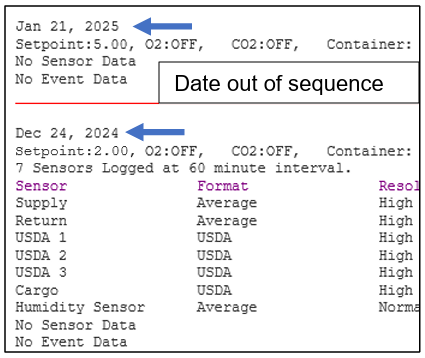
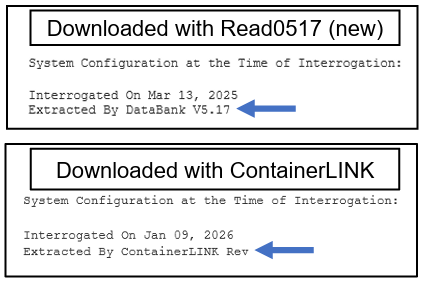
It is also important to use the correct READ FILE (read0517) for DCX downloads. Using the wrong read file will cause download header mismatch and errors in data presented:
To verify which read file was used, look at the top of the download in ContainerLINK for “Extracted by DataBank V5.17” or “Extracted by ContainerLINK Rev.
For additional questions, go to the Container Refrigeration Service and Support page on the Carrier website. Contact your Field Service Manager or the Carrier Container Technical Services HotLINE.